Location / The FlowState process
Position sizing: make risk fit the plan.
Position size should come from the risk in the idea, not from how strongly you feel about it.
Calculate planned share exposure and recognize where that calculation stops being sufficient.
Understand the concept.
Start with where the idea is wrong
Identify what price behavior would make the trade idea no longer make sense. The distance to that level changes the risk in the position.
Work backward from risk
Decide what loss would be acceptable if the thesis fails, then make the position size fit that amount. Do not let a large position force a wider risk plan.
How I use it.
I size around invalidation and acceptable loss. A more attractive-looking chart does not justify ignoring distance to the planned exit. I also consider other positions exposed to the same move. If the position cannot fit the risk plan, passing is a valid result of the process.
Put it into context.
Hypothetical calculation: $150 planned risk divided by a $3 entry-to-exit distance equals 50 shares. If that distance becomes $6, the same budget allows 25 shares. This is share sizing before fees, gaps, and slippage, not an options-sizing formula or a recommendation for your account.
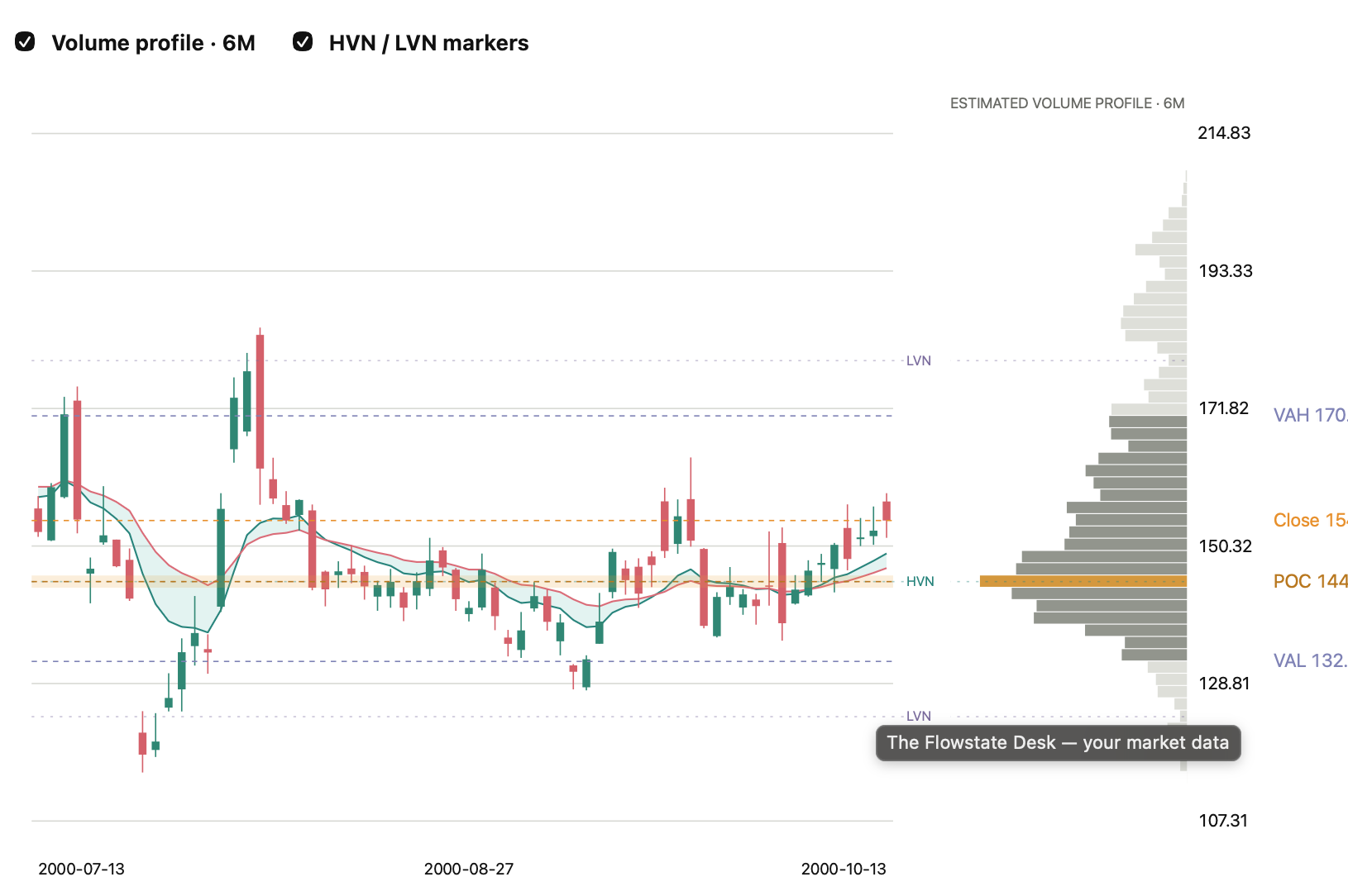
Direction · EMA cloud
Compare the candles with the two EMA lines. Their relationship helps organize the short-term trend.
Location · Profile labels
Locate VAH, POC, and VAL on the right, then compare price with those areas. The numbers in this screenshot have been altered.
Reference · Orange close line
Use the line to identify the chart close reference. This edited screenshot demonstrates the layout, not a current market reading.
Go deeper Details & practice
Write the inputs
Record entry, invalidation, risk per share, planned dollar loss, and resulting share count. Review affordability and total portfolio exposure separately. A formula does not make an unsuitable trade suitable.
Options require another step
Option values depend on time, volatility, and the underlying, so a stock stop distance does not translate directly into contract loss. Model the contract separately and understand its maximum potential loss.
04 / From lesson to workspace
See the pieces together.
Open Chart & levels to examine the framework in the desk’s dated snapshots. Apply the questions from this lesson to what you see.
Explore this process in The Flowstate DeskApproved members: sign in with your approved email. New here? Preview this section or request access.
Educational examples only. No entry, outcome, or return is promised. Trading involves risk; saved snapshots are not live execution data.